RailBridge · controller bridge for train sims v3.3.6 · Windows
Your controller,
wired into the cab.
RailBridge bridges HOTAS sets, joysticks, button boxes and RailDriver-style hardware into the train sim you're running: Train Sim World 6, Running Train, SimRail, Train Simulator Classic, Run 8, Derail Valley, Open Rails, or any other keyboard-driven game you add yourself.
Train Sim World 6 also gets a DMI-style driver-aid dashboard built from live telemetry. That part is TSW6-only. Free to use, no sign-up, no cookies. Updates are checked manually from Settings.
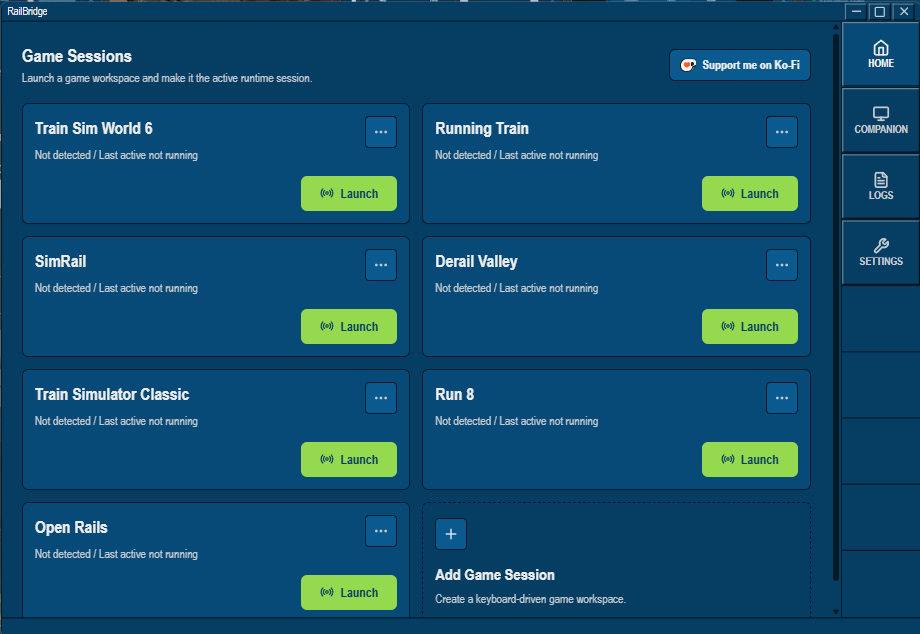
Supported games
The controller mapper and device tools work the same way in every one of these. The DMI-style dashboard is TSW6-only.
How it works
RailBridge reads physical controller input and turns it into keyboard actions your game already understands, sent straight to the game window. No special game-side plugin or virtual gamepad required.
What's in it
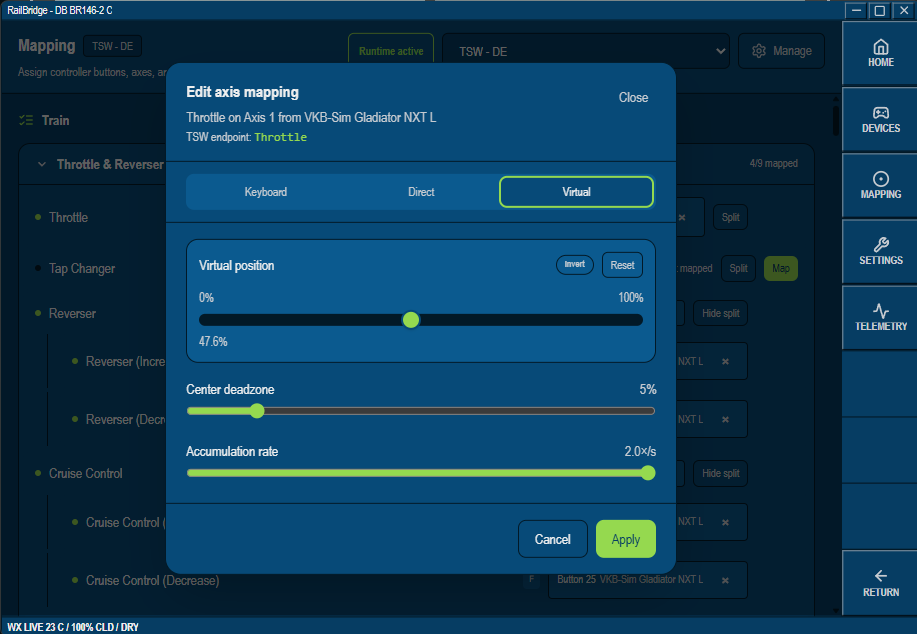
Controller mapper
Map axes and buttons from HOTAS, joystick, button-box or RailDriver-style hardware to the controls your game exposes — controller-first, not locomotive-first. Works in every supported game.
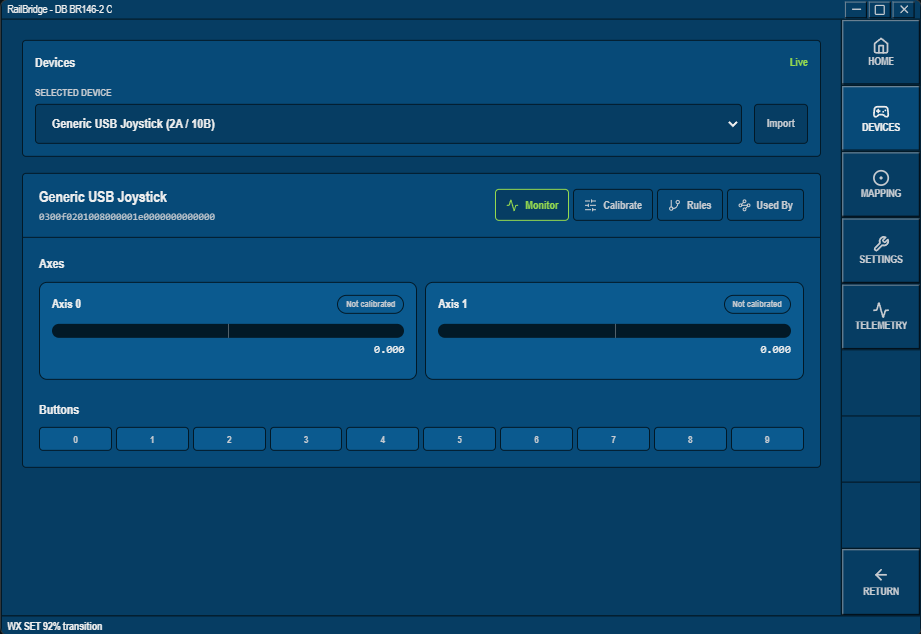
Device setup & calibration
Live axis/button monitoring, calibration and per-device rules, shared across every game session you run.
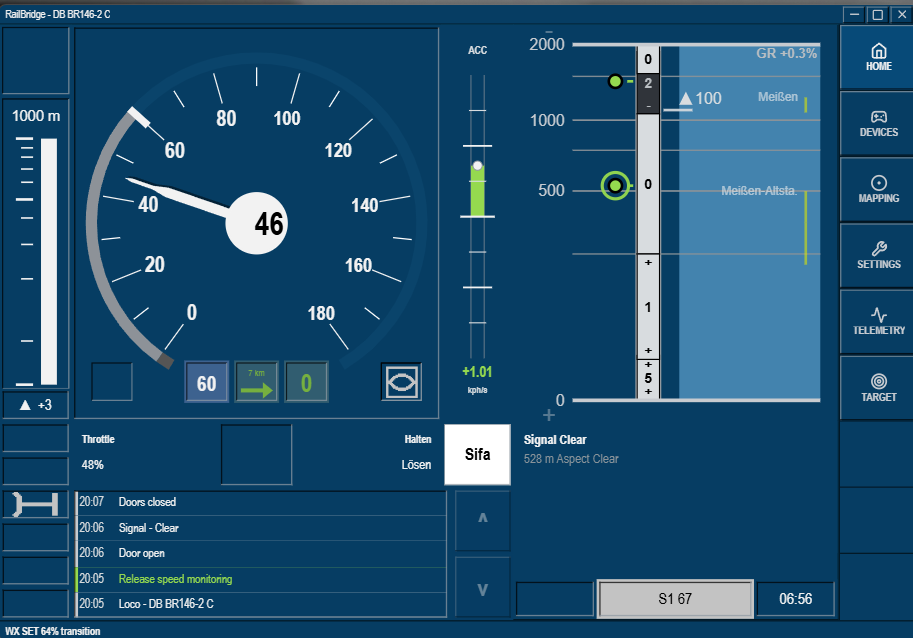
DMI-style dashboard
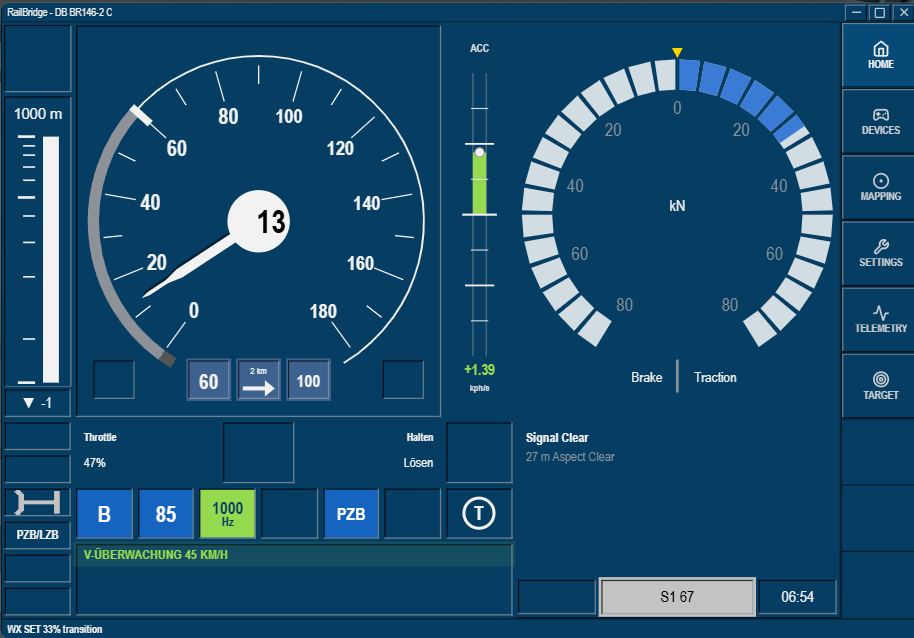
TSW6 onlyA driver-aid display built from live TSW6 telemetry: speed, route monitor, signal status, and more. Simulator-derived, not a certified ETCS DMI.
Train protection lamps
TSW6 onlyPZB, LZB and SIFA status as compact lamp strips alongside the dashboard, mirroring what's in the cab.
Companion & custom dashboards
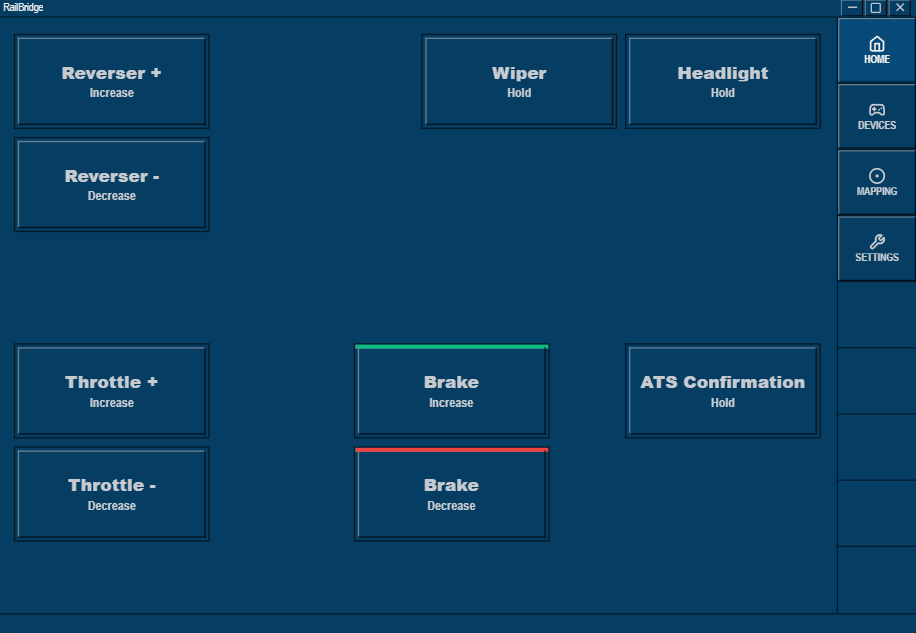
Build a custom button layout for any supported game, then mirror it, or the DMI dashboard on TSW6, to a second screen or device over your LAN.
Live Weather Sync
TSW6 onlyAn opt-in feature that syncs real-world weather into TSW6 sessions. Along with explicit Direct/Virtual TSW6 bindings, it only writes through the TSW6 API when you turn it on.
RailBridge is an independent fan-made tool and isn't affiliated with or endorsed by Dovetail Games, Train Sim World, or any of the other supported titles.
The dashboard is DMI-style and built from simulator data. It is not a certified ETCS DMI and shouldn't be treated as one.